

Models and fields reference
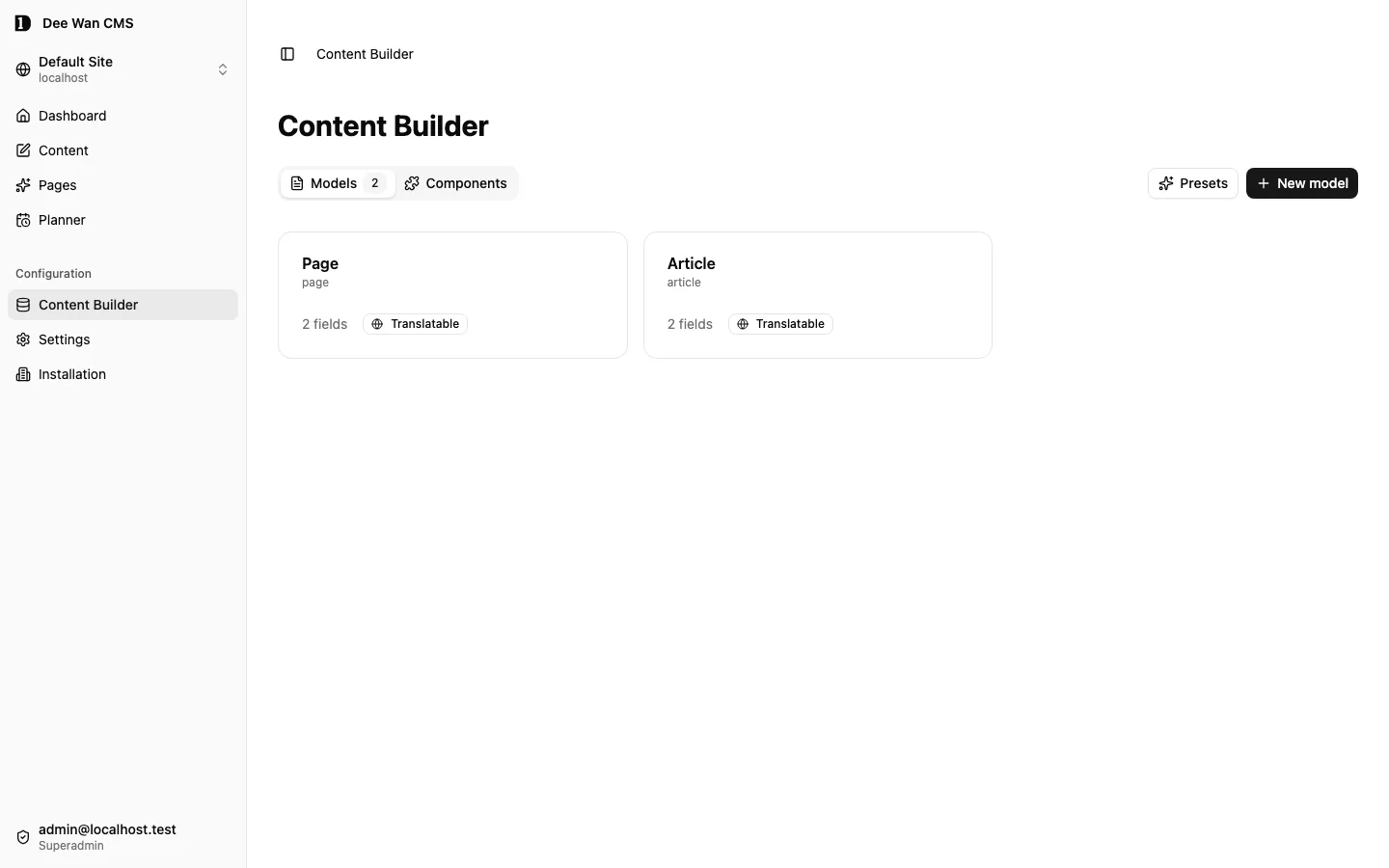
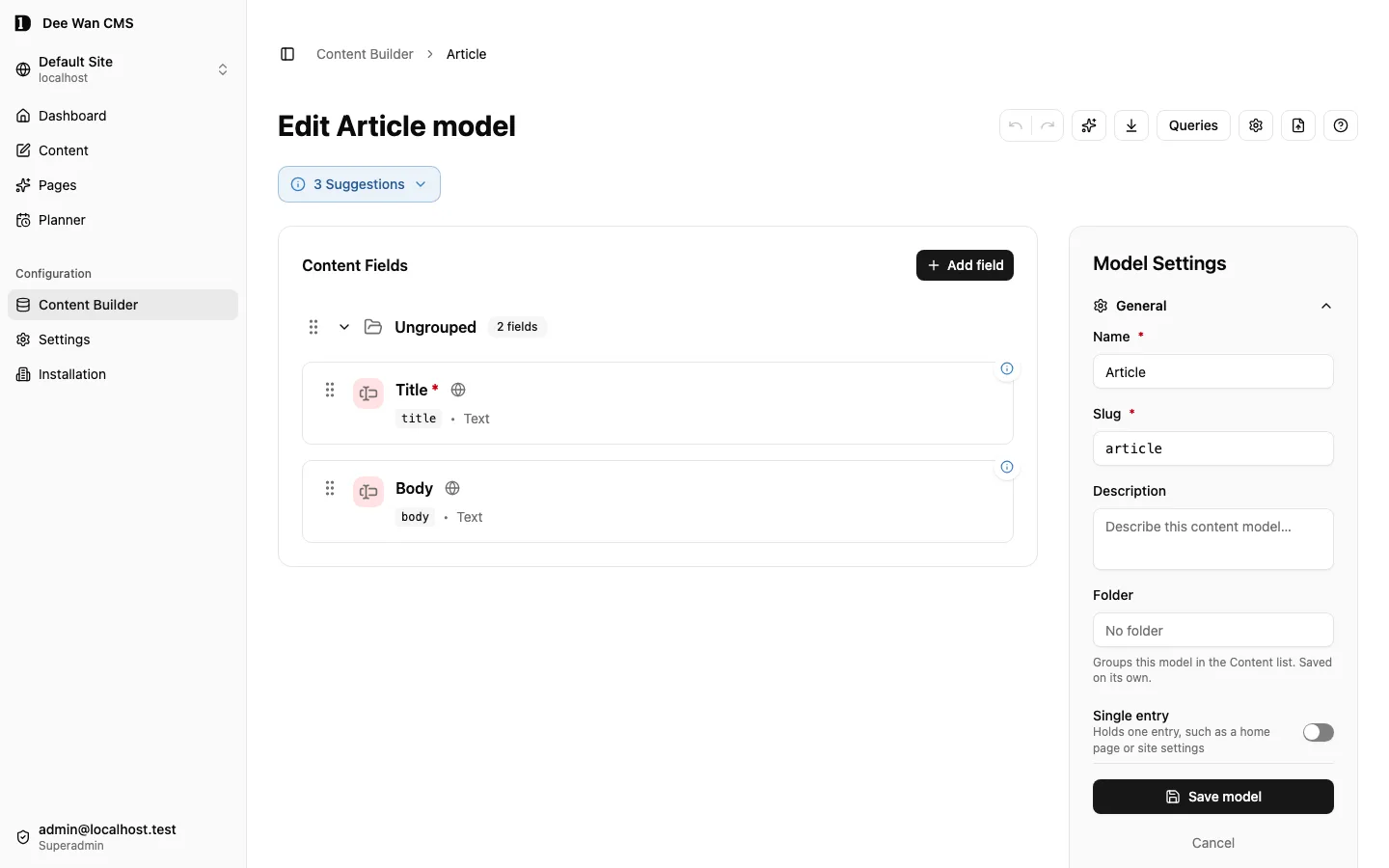
A model defines a site’s content structure. A field’s key is its API identifier. label is its display name. Keep existing field IDs when editing a definition: changing an identity is not a safe rename. Changing a label never renames the key. A new field takes its key from its label until you type one. An existing key changes only through Field key, which keeps the field’s ID, and the rename is reviewed before saving. Apply model changes only after reviewing their compatibility result.
If an existing model cannot load, choose Try again. Its editor stays unavailable until the definition loads. Saving locks the editor while compatibility checks and the save finish.
Field types
Section titled “Field types”| Type | Configuration to review |
|---|---|
text |
Single or multiline, with rows, a placeholder and a default. Supports length and pattern validation. |
rich |
Rich-text editor with configurable toolbar. Stores one rich document as canonical HTML, up to 256 KiB: text blocks, tables, image galleries, audio, video and file blocks, and embeds of a YouTube, Vimeo or allowed https link (embed origins). A save that holds anything else is refused, naming the field, language and element. The public API serves the checked HTML; render it with the page contract’s renderRichDocument, as Dee Wan’s own renderers do for Blog posts and Latest entries summaries (Blog sites). |
number |
Step, default and display format: integer, decimal, currency or percentage. Supports numeric bounds. |
boolean |
Optional default boolean. |
select |
Required option list of strings or {value, label}. Supports single or multiple values and a default. Custom values are available only for single selection. |
date |
Format date, datetime or time. Supports a default and date bounds. There is no separate datetime field type. |
point |
Latitude and longitude stored together. See timezone-aware dates and points. |
media |
Kinds of file (image, document, audio, video, file; images when none is chosen), maximum bytes, single/multiple files, and crop rules (aspect ratio, minimum size). A save that places a file of another kind is refused (media_kind_not_accepted), and so is one past the maximum bytes (media_too_large_for_field). Only images are framed: a crop or focal point on another file is refused (media_framing_not_image). On a top-level media field an editor sets a focal point per image. With an aspect rule the crop follows it. Framing is stored beside the reference as fractions of the image and never changes the file. Nothing resizes or crops the stored bytes; a generated site can deliver resized, cropped copies (see preview and client). An image can have a default focal point (Media center → Edit image). It only starts a new use of that image; existing uses keep their own framing. A site copy carries it. Inside a component the framing travels in the value: a framed use is { media_id, crop?, focal? }, an unframed one stays the bare id. A page section’s image is framed per slot in the page inspector (page contract version 4). Which kinds and formats the library takes at all is a site setting (Settings → Site → Media files). An image can be cropped and rotated into a new copy (Media center → Edit → Crop and rotate); uses of the original are not changed. |
json |
Accepts any JSON value, array or object, with optional JSON Schema text. A page’s slides document has the additional page contract. |
relation |
Target model slug (several models: see A relation to several models), display field and cardinality: one-to-one, many-to-one, one-to-many or many-to-many. In one-to-one and one-to-many each linked item belongs to only one entry; another entry pointing at it in the same field is refused with relation_target_taken. Every linked item shows the entries that point at it under Related from, by source model and field, for all four kinds. An editor who may read the item and update the source can add the item to the source or remove it. That change is the source’s own save: a new draft version of the source, live after the source is published, and it applies to every language. When a one-to-one or many-to-one source already points at another item, the editor first confirms a replacement that names both items. Making an existing field one-to-one or one-to-many is blocked while two entries share a target (relation_targets_shared). Component fields do not offer one-to-many. Deleting either entry removes the link and keeps the other entry. Ordinary relations stay within the site. Shared references is available on model-level relation fields only; component fields cannot enable it (shared_reference_component_unavailable). A nonhierarchical many-to-one or many-to-many field can opt into explicit shared references (sharedReferences: true), requiring a grant from the source and destination administrators; these references read published public source entries and grant no source editing access. Shared-reference fields cannot use contextual target filters (shared_reference_choice_unavailable). A one-to-one or many-to-one relation to its own model can be marked Hierarchy (parent/child) ("hierarchical": true). Then a save or restore that makes an item its own parent, or puts it under one of its own children, is refused with relation_hierarchy_cycle. It cannot be turned on while stored links already loop; the model save lists them. The generated API refuses the same loops with the same code, inside the database write as well (see relation and translation writes). |
component |
Allowed components (components: one slug, or several for a list of mixed blocks), repeatability, folding and per-use display overrides. Site-owned definitions can explicitly override shared definitions. See mixed component fields. |
Rich-text snippets
Section titled “Rich-text snippets”In a rich-text field of an item, select text and choose Snippets → Save selection as snippet to keep it under a name. Snippets → Insert a snippet searches the site’s snippets and inserts one at the cursor. Insert makes a copy: renaming, changing or deleting a snippet later never changes text already inserted.
Anyone who may create or change items of the model can use snippets in its rich-text fields. You can rename, replace or delete the snippets you saved; people with site:settings can manage all of them. A site keeps at most 200 snippets, each up to 64 KiB. A name has 1 to 80 characters and is unique in the site, ignoring case. A snippet holds what a rich-text field accepts; raw HTML, styles and scripts are refused. Snippets are private: they never appear in the public API or on the website.
A site copy (format 1.12) carries the snippets and the images they show. Undo of its import removes only snippets the import added that nobody has changed since; a changed one is kept and listed.
Shared field settings
Section titled “Shared field settings”Use required and translatable settings deliberately. Validation supports text length/pattern, numeric bounds, selection counts, repeatable component counts and date bounds. A minimum above its maximum, and a pattern that does not compile, are refused when the model is saved. The server checks content saves against the same rules as the editor. UI settings include hidden, grouping, ordering and help text. Hiding a field is not an authorization policy. Patterns support Unicode property escapes such as \p{L} (letters) and \p{N} (numbers). Custom ASCII-only patterns remain restrictive.
The generated standalone API retains declared text minLength, maxLength and pattern rules, including Unicode property escapes and deliberately ASCII-only patterns. After changing these rules, regenerate and redeploy the backend. See the API reference for generation refusals.
Show only when
Section titled “Show only when”A model or component field can depend on sibling Boolean, Select, text, number or date fields. In UI, turn on Show only when…. Choose a controller, comparison and value. Combine up to four comparisons with All conditions (AND) or Any condition (OR); groups nest up to three levels.
- Boolean and Select keep the existing
{ "field": "featured", "in": [true] }shape. - Typed comparisons use
{ "field": "price", "op": "gte", "values": ["100"] }. Text supports equality and contains; numbers and calendar dates support equality and ranges. Empty and not-empty take no values. - Groups use
{ "all": [condition, condition] }or{ "any": [condition, condition] }. Every controller must be a sibling. Invalid values, unavailable options, unsupported comparisons and dependency cycles are refused before a definition is saved. - Hiding keeps the stored value. Required and other validation rules apply only while shown. Visibility is not access control.
- The editor, API, management tools and import checks use the same condition reader. Copies carry the condition; generated conditionally required columns accept empty values.
Derived-field configuration requires a predefined computation or AI configuration. Its presence does not prove an external AI provider is configured. Do not treat advanced schema options as evidence that every corresponding product capability is released.
Models, locales and pages
Section titled “Models, locales and pages”The site chooses languages, a default language and a strict or fallback policy. Under fallback, each language can list fallback languages in order under Settings → Languages; a visitor sees the first one that has the item, then the default. The entry editor shows which language visitors see while a translation is not live. Check the returned item’s locale rather than assuming it matches the requested one. A private model needs appropriate API access. Moving content into a public model exposes it to public readers.
A generated page model needs the documented title and slides structure. See the page contract. Other models remain API data, not automatic pages. Shared component slugs are stable. A site fork replaces the shared definition for that site’s references only.
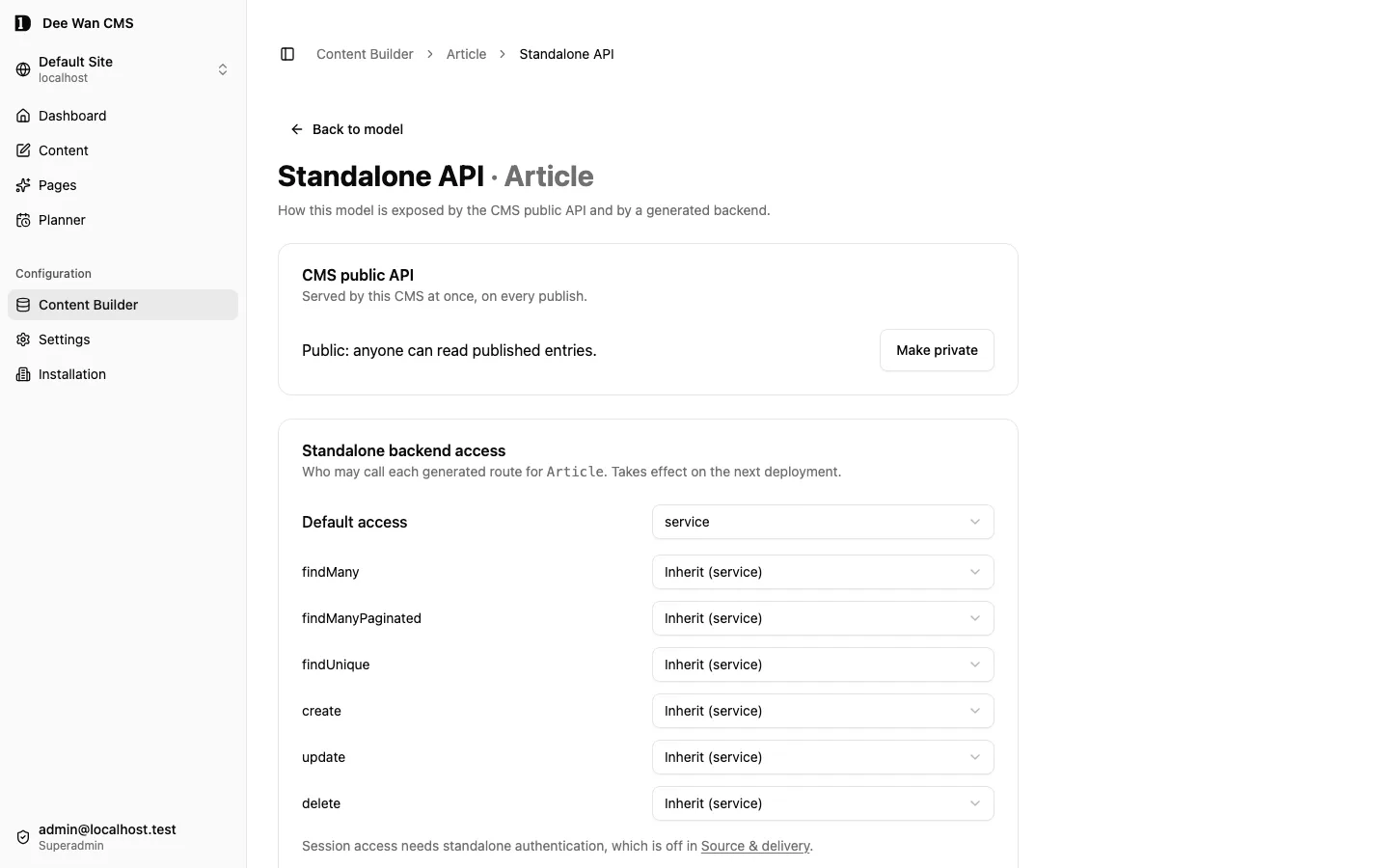
Changing a component’s field list retains the previous definition automatically. Existing entries keep their values and pinned version; the change creates no content revision and publishes nothing. New instances use the new definition. Use Update component on an existing instance when you are ready to migrate it. The write barrier briefly refuses concurrent content writes with component_migration_in_progress; repeat the save after it completes.
Component definition versions
Section titled “Component definition versions”In the component editor, Retired removes the type from Add and Duplicate. Existing instances stay readable and editable. Retirement does not delete content. Removing the type from a mixed field’s allowed list still requires migrating or removing its instances first.
Every field-list change automatically keeps the previous definition. Existing ordinary and mixed instances retain their earlier fields and definition; new instances use the current version. Update component on an instance deliberately adopts the current definition after confirmation. Compatible fields keep their values; removed or changed-type fields are discarded and new fields start with defaults. Review and save the entry, then publish when ready.
The library keeps up to 64 retained definitions and 2 MiB of definition JSON. The current fields, retained definitions and metadata must also fit one stored row: at most 1,900,000 UTF-8 bytes including reserved overhead. A save or import that exceeds either bound is refused as component_retention_limit before the component is written. Retention and retirement hold affected writers through the existing component migration barrier. Shared components on split tenant databases keep the existing cross-database mutation refusal. Site copies and generated artifacts carry retirement, retained definitions and instance pins. Saving a component definition never deletes its retained definitions.
Mixed component fields
Section titled “Mixed component fields”A component field that allows several components is a list of mixed blocks, like a dynamic zone. In the field’s Configuration, pick each component it allows; the order you pick is the order editors are offered. Two or more make the field a list, so it is always repeatable (mixed_component_not_list otherwise). Each component may be allowed once.
- The config is
{ "type": "component", "components": ["hero", "quote"], "repeatable": true }. A field allowing one component uses the same key:"components": ["seo"]. - The stored value is an ordered list. Each block carries
_id(its identity),_component(its component),_version(the version of that component it was last saved against),enabled(falsehides the block) and its component’s fields. Every save checks each block against its own component; a retained instance keeps its_versionuntil an explicit update. - A component’s version starts at 1 and goes up by one each time its field list changes. Existing instances keep their definition and
_versionuntil an explicit update. - In the editor, Add block offers the allowed components. Each block’s ⋯ holds Move up, Move down, Duplicate, Hide or Show, and Remove. Drag the handle, or focus it and press the arrow keys, to reorder.
- A hidden block stays in the stored list with
enabled: falsefor editors, history and copies. Public reads, the managed renderer, a generated site and a generated backend’s anonymous and read-token answers leave it out. An A/B variant’senabledon a single-component field is not affected. - Adding a component to the allowed list is always safe. Removing one is refused while stored items still hold its blocks (
component_type_removed). - Allowing a second component on a field of one component converts its stored values into blocks (
_idblock-1,block-2, …, the component, its current version, shown). Going back to the one component that remains converts blocks into instances. Each item gets a new current version labelled “Component field changed shape”; older versions keep the old shape. Going back to a field that holds one instance is refused while an item holds more than one block (storage_shape_changed). A conversion is refused when it would rewrite more than 200 stored values (component_migration_too_large). - History, restore, export, site copy, import and generated backends keep the list as stored. CSV/XLSX cells carry the blocks as JSON and can be imported through Collection files. Media inside blocks is tracked per component, so a key of another block type is never read as media.
- A relation inside a component value (any component, any depth, any block) names its targets by id. A public read and published generated output drop a target that is gone, in Trash, unpublished or not readable by that reader: a single link becomes
null, a list keeps the rest in order. The stored version is not changed. - Editorial previews resolve the latest authorized saved target drafts, including never-published entries, under the same field, locale and privacy rules as ordinary relationships. New shared preview links also recheck their creator’s current rights. See draft previews.
- A site copy carries the components this site owns that its models use (
components.json, with each one’s version) and writes them before the models, reusing a component the destination owns with the same fields and refusing a different one under the slug (component_slug_taken,component_shadows_shared,component_name_taken). Each relation inside a component value is mapped to the entry the copy made; one the copy does not carry blocks the check (unresolved_relation). Undoing an import removes the components it wrote once no field uses them. - A mixed field has no AI generation or A/B variants (
mixed_component_context). A/B variants are the instances of one repeatable single-component field, one shown at random; they are not set per block.
Item address
Section titled “Item address”Each language of an item has its own address, its slug: the public API serves the French language at /v1/<model>/<slug>?locale=fr under the French slug, and a language answers only at its own slug. A single-item read lists every live language and its slug in alternates. A model can also have a text field keyed slug. When the field is translatable, each language’s value is that language’s address. When it is shared, it holds the primary language’s address. The editor, the content API, the management API, plugins, spreadsheet import, bundle import and Strapi import all follow these rules. The spreadsheet check reports slug_invalid, slug_cleared and slug_reserved before apply, including two rows of one file that name the same address in the same language. The Strapi import check reports slug_invalid, slug_conflict and slug_taken before the run.
| Save | Address of a language comes from | Refused |
|---|---|---|
| Create | slugs[lang], else that language’s slug field, else its own title, else (a translation) the primary’s address. |
A named slug with no letters or digits (slug_invalid). A named slug another item holds in that language (slug_reserved, slug_taken). slugs[lang] and the slug field naming different addresses (slug_conflict). |
| Update | slugs[lang], or that language’s slug field value that differs from the stored one. Anything else keeps the address. |
The same refusals. Clearing an address, or a slug field that held a value (slug_cleared). |
- Every refusal names the field and the language:
{ reason, field: "slug", locale, slug, held_by?, version? }. The editor shows it under that language’s address, never as a toast. - A named slug is normalized: Unicode letters, numbers and combining marks joined by single hyphens, normalized with NFKC and lowercased.
Harbour Wallbecomesharbour-wall. The normalized address is written into that language’sslugfield, and the save response returns every language’s address asslugs. - A title is not an address, so it never refuses. A taken title slug gets
-2,-3and so on, in that language only. A slug is taken when another item’s draft, current or published version holds it in the same language. Thai, Cyrillic, Japanese and other native-script titles produce native-script addresses. A title with no letters or numbers makes no address; a translation then takes the primary’s address. On create,slugs[lang]: nullmeans no address in that language. An address made from a title is cut to 180 characters before any-2suffix. - Adding a language without a slug gives it the primary’s address, suffixed when that language already holds it.
- An older item whose
slugfield already differs from its address keeps both through unrelated saves. Editing the field repairs it. - Renaming a draft does not move the published address until that language is published.
- Each language keeps the address of its own published version. Publishing one language under a new address moves and redirects that language only.
- Publishing claims each moving language’s address. A page language without an address cannot be published (
page_address_required, with itslocale). An address another item already holds in that language is refused (slug_reserved), and nothing is published. - A managed route without
{locale}gives an address only to the language a read with no locale serves: the default language, else the site’s fallback order, else the primary. - Restore puts back each language’s address the version recorded. A bundle import, site copy and history transfer carry each language’s address in its versions.
Different links in each language
Section titled “Different links in each language”A relation field of a model with translations can hold Different links in each language: in the
field’s Configuration, turn the switch on. It is stored as config.localizedMembership: true. Without
it, every language shows one shared list.
- Each language keeps its own list and order. The editor shows and saves the list of the language you are editing, on every language, including translations.
- The save API takes these lists under
locale_relations(language → field → list,{ set }or{ connect, disconnect, move }, whereconnectitems may carry a position). Sending such a field underrelationsis refused withrelation_localized_field; sending a shared field per language is refused withrelation_not_localized. A language the item does not have is refused withrelation_locale_missing. - Every rule applies to one language’s list at a time: to-one cardinality, item limits, one owner per
target in one-to-one and one-to-many (
relation_target_takenonly when another entry holds the target in the same language), and Hierarchy (parent/child) loops. - A version stores these lists under
locale_relations. Publish, preview, restore, Trash, a bundle import, a site copy and a history transfer keep each language’s list. Deleting a language for good deletes its lists. A new language starts with empty lists. - Related from changes the list of the language that is open. Its view merges an entry’s languages into one row (the primary language when it links the item); removing there changes that row’s language list only.
- The bulk Categories and tags action changes the list of each selected language. Several selected
languages of one entry change in one save against one version; the other rows answer
covered. - Turning the option on copies each item’s current list to every language. Turning it off keeps each
item’s primary-language list and removes the others; the model review warns about it first. Turning
it off on a one-to-one or one-to-many field is blocked while two items’ primary-language lists would
share a target (
relation_targets_shared), and on a Hierarchy (parent/child) field while those lists would put an item under itself (hierarchy_cycles_shared). A restored version from before the change follows the same rule. - The option is refused on a model without translations and in a component
(
localized_membership_unsupported,localized_membership_not_in_component). - A generated backend stores such a field, to-one included, in a join table whose rows carry
locale; every uniqueness rule holds per language. The migration loads each live language’s list from the version serving it.PUT /api/<owner>/relations/<field>takeslocaleand writes that language’s list with the same item limits, one-owner and parent-loop rules (unknown_localefor a missing or unknown language). The read-only join table route serves one language’s list withwhere[locale][equals]=<lang>; a language with no list reads as empty, never another language’s. A shared list keeps its join table withoutlocale, because SQLite treats NULLs as distinct in a unique index.
A relation to several models
Section titled “A relation to several models”A relation field on a model or inside a reusable component can accept items of more than one model. In the field’s Configuration, keep
the Target Model and tick the models under Also accept. It is stored as
config.allowedModels, a list that starts with the target model. Without it, the field accepts its
target model alone.
- A list can mix models, in any order. The picker searches every accepted model together, newest first, and each row names its model. Narrow it to one model with the buttons above the list. Create new asks which model to create when the field accepts several.
- A reference names its target’s model. The save API accepts either the instance id or
{ "model": "<slug>", "id": "<instance id>" }wherever it takes an id in a relation write (relations,locale_relations, in a list,set,connect,disconnectandmove). Whenmodelis given, it must be the target’s own model. - A save is refused with
relation_target_not_foundwhen a target does not exist in this site, is of a model the field does not accept, names a different model than it has, or is one the person saving may not read. The answer does not tell these apart. A duplicate is refused withrelation_duplicate_targetand a second target on a to-one field withrelation_cardinality. - A version, a published version and a restore store each target’s model beside its id. A restore is
validated against the models the field currently accepts: a version that links a model the field no longer
accepts is refused with
relation_target_not_found. - Publishing, unpublishing and Trash treat an item the same whichever model points at it: unpublishing an item that live entries link to through a field lists them, and Related from shows the entry from every model the field accepts.
- A public read serves each target as
{ instance_id, model, slug, display }; see Public read API. A target of a model the field no longer accepts is not served.relation,tagandexpandover a field that accepts several models are refused. - A site copy and a bundle import keep the list’s order and each target’s model. An entry whose reference names the wrong model, or a model the destination field does not accept, is not imported.
- Removing an accepted model while items link to it is blocked in the model review
(
relation_model_removed), which names the items. Adding a model, or changing the order of the list, needs no review. Moving the Target Model to another model follows the same rule. - A Hierarchy (parent/child) link still accepts one model (
mixed_relation_hierarchical). The label shown for a target is the field’s Display Field; a target whose model has no such field shows a short form of its id.
Unique values
Section titled “Unique values”A text or number field of a model can be Unique: in the field’s Properties, turn on Unique. A translated field also chooses Unique in each language (locale: no two items hold one value in the same language) or Unique across all languages (model: a value appears once in the whole model, including one item’s own languages). A shared field is unique across all items. The setting is stored as config.unique. Component fields, other types and a per-language scope on a shared field are refused (unique_unsupported).
- Values compare exactly as stored: text is case-sensitive and not trimmed, numbers compare by value. An empty value never collides. Unique text is at most 255 characters.
- An item’s current and published versions both hold their values, like an address. One item’s own versions never collide. An item in the Trash keeps its values until it is purged.
- A save, restore, import, spreadsheet apply or publish of an older version that would repeat a value is refused with
field_value_taken(409). The editor shows it under the field and keeps the edit. The other item is named only to someone who may read it. The spreadsheet check reports it before apply. The import check reports it before the run, including entries of one import that give the same value, and the run blocks such an entry with a problem row. - Turning Unique on, or changing its scope, is reviewed first. The review lists items that share a value (
unique_duplicates, with sample values) and items holding a value over 255 characters (unique_value_too_long). Apply is refused withmodel_change_blocked(409), naming each, until every one is resolved. A change made while Apply runs is refused (model_change_stale). - A generated backend gets a unique column:
@uniqueon the field’s column, or@@unique([field, lang])for per-language scope. A one-to-one relation’s column is unique too. Generation readiness and the build refuse published items that share a unique value (unique_value_shared) or a one-to-one target (one_to_one_target_shared) before anything is generated. Empty unique text is written asnull.
Number inputs use decimal notation, including decimal exponents; hexadecimal, binary and octal strings are refused.
Unique combinations
Section titled “Unique combinations”In model settings, Unique combinations defines up to eight named groups of two to four text or number fields. Choose Across all languages or In each language. All fields in a group must use the same shared or translated storage; language scope needs translated fields. The setting is settings.unique_groups: [{ "name": "catalog_sku", "fields": ["catalog", "sku"], "scope": "model" }].
A combination participates only when every member has a value. Text compares exactly, numbers by value. Text members are bounded to 255 characters. Current and published versions reserve the tuple; save, restore, import and publication use the same atomic claim guard. Turning a group on checks existing duplicates before applying it. Generated schemas get a compound unique index, with lang included for language scope; readiness refuses duplicate published tuples.
Single-entry models
Section titled “Single-entry models”A model is a collection (any number of entries) or single (one entry, such as a home page or site settings). Turn on Single entry in the model’s general settings. The kind is stored as content_model.kind and travels in the model apply body as model.kind, through the Model Builder, the management API (REST, CLI and MCP) and a site copy. Omitting kind on an update keeps the stored kind.
- A single model holds one entry, whatever languages it has. An entry in the Trash still holds the place. Restore it, or delete it permanently to make another.
- A second create is refused with
single_entry_exists(409), naming the existing entry and whether it is in the Trash. Saves, imports, site copies, spreadsheet applies, plugins and the management API all create through the same path. Two creates at once cannot both win: the check runs again inside the write. - A site copy that carries more than one entry for a single model is blocked before the run (
single_entry_conflict). So is one whose single model already holds an entry on this site, in the Trash too (single_entry_taken), unless that entry came from the same source entry, as on a re-import. - A collection becomes single only while it holds at most one entry, counting the Trash. Otherwise the change is refused with
model_change_blockedand asingle_entry_conflictchange. A single model can always become a collection; nothing is lost. - In Content, choosing a single model opens its entry. When there is none, the list offers one Create entry action. When the entry is in the Trash, it offers Restore.
- The public API is unchanged:
GET /v1/<model>answers a list of at most one item, andGET /v1/<model>/<slug>answers it by address. See public API. - A generated backend holds a single model’s table to one row. A unique index refuses a second row whatever writes it, and the create route answers
single_entry_exists(409).
Content folders
Section titled “Content folders”A model can sit in a folder in the Content list, so a site with many models stays easy to scan. Set it in the model’s general settings under Folder. It is 1 to 40 characters after trimming, and Blog and blog are the same folder. Clear the field to take the model out.
- A folder exists while a model uses it. There is no folder list to manage, and folders do not nest.
- Models without a folder are listed first. Folders follow by name, each opens and closes, and the browser remembers which are closed. A folder holding the open model opens itself.
- The folder saves on its own when the field loses focus, not with Save. It needs the permission that applies model changes (
model:apply). - It is organization for editors only. It does not change the model’s revision, so it never makes an open editor stale or triggers a breaking-change review. It is not part of generation input, a generated backend or any public answer.
- A site copy carries the folder with each model it creates. A model the destination already has keeps its own folder. The management API sets it with
setModelFolder(PUT /models/{id}/folder,schema:write) and lists it asfolderon each model.
Private fields
Section titled “Private fields”Any field of a model or of a component can be Private: in the field’s Properties, turn on Private. The setting is stored as custom_field.private, or as private: true in a component’s field list.
- Editors see and edit private values. History, restore, export, site copy, import and authorized management reads keep them.
- Every public read leaves them out:
GET /v1items, expanded relations, related pages, the Blog feed, site search, the generated public TypeScript client, generated sites, and a generated backend’s anonymous and read-token answers. A private relation or media field leavesrelationsandmediatoo. Inside a component value, each private component field is removed wherever the value is served, generated sites included. - A public query that names a private field in a filter,
sort,fields,relation,expandor a related-page cursor is refused exactly as if the field did not exist. - Renaming or deleting a private field never exposes its value. Published versions keep the old key in storage, but public reads, site search and generated sites serve only the fields the model declares now.
- A model field cannot take a key that saved versions still hold under an earlier field. This covers new model fields, renames, and changes that reinterpret a model’s component field. A model save returns
409 model_change_blockedwithretained_key_reuse. Choose another key while any retained version holds that value. Component field-list edits instead keep the old definition and pins; they do not reinterpret old values. Each retained component definition keeps its own privacy plus the current definition’s private flags, matching field identity across renames and using its key when identity is absent. Other historical versions do not change that pin’s privacy. An old private value never becomes public because a later definition changes. Imports compare carried values with the recorded source and reviewed destination definitions (unmapped_source_key,source_private_value,import_definition_changed). See Import. - A component created or forked under a slug a site already reads is a new definition for that site’s stored values. It is compared with the definition the slug read before. A key that definition did not have counts as a new field. So does a key it had as private that the new one would serve. A refusal is
409 retained_key_reuse, and nothing is created. Confirming the override (acknowledge_shadow) does not lift it. A fork copies the shared definition exactly, so it changes no reading. Making a field of the site’s own component public later is an ordinary privacy change. - On a deployment with separate site databases, changing a shared component’s field list or retirement state is refused with
409 split_topology_migration_unsupported. Name-only edits remain available. Fork the component for the site before editing its fields. Creating a new shared definition or an owned shadow still refuses a reading that could expose values already stored (retained_key_reuseorsplit_topology_reinterpretation_unsupported); an unavailable site database returns503 site_database_unavailable. An owned component holds affected content types during its change. Concurrent save, restore, carried history and language restoration returncomponent_migration_in_progress; an earlier planned writer returnsmodel_contract_changed. Retry after the definition change and run an import check again when its reviewed definition changed. - Renaming, deleting or retyping a field also aborts any save planned against the old definition (
model_contract_changed); retry it. If a version holding the key is saved while the check runs, the change is refused (model_change_stale, orcomponent_changedfor a component); try it again. - Turning a field private, or public again, re-indexes the model’s site search and purges its cached public reads. Cached reads are also keyed by the model’s private fields, so a field made private is never served from a response cached before the change. The change also aborts any save planned against the old definition (
model_contract_changed); retry it. - A generated backend keeps private columns for editors. Anonymous reads, read tokens and every write response select only public columns. A component column holding a private field anywhere below is left out of those answers whole: the generated routes return the guard’s own select, and a partial JSON projection would need a second response rewrite over every read and write route. A private list relation’s join table is not served to readers.
- A saved query bound to a trusted route whose operation is served anonymously (
publicin the backend policy) may not select, filter or sort by a private field. Binding such a query, or editing a bound one to name one, is refused (private_field_on_public_route, 422), and generation refuses the set (saved_query_private_field) when a policy or a field changed since. A component field holding a private field at any depth counts as private here too, as it does for the generated reader; when the component definitions cannot be read, every component field does.
Visitor comments
Section titled “Visitor comments”Any model can take visitor comments on its published entries. Turn on Visitor comments in the
model’s general settings. The setting is the model’s own comments key in its settings
({"comments": true}); nothing else stores it. A Blog’s post model is one such model:
Posts → Comments → Accept new comments changes the same key. A model that is not public never
shows comments.
- A comment belongs to the model, the entry and one language, never to an address. Renaming an entry keeps its comments. Each language has its own thread. A reply answers an approved top-level comment of the same entry and language; there is one reply level.
- Comments show only on an entry that is live now. Unpublishing or Trash hides them. Turning the setting off hides every comment and refuses new comments and new reactions; nothing is deleted. Delete permanently in Trash deletes the entry’s comments and their reactions.
- New comments wait: Waiting, Approved, Spam or Refused. Moderate them in Content → Comments, which covers every model and filters by model, or on a Blog in Posts → Comments. The rules are the Blog’s: see Blog comments.
| Action | Permission |
|---|---|
| Read and moderate | content:publish |
| Delete permanently | content:publish and delete on the comment’s model |
| Turn a model’s comments on or off | site:settings (Posts → Comments, PUT /api/comments/settings), or model:apply (the model’s Visitor comments switch, saved with the model in Content Builder) |
| Mark a comment Helpful as yourself | read on the comment’s model |
Reactions
Section titled “Reactions”A comment takes one kind of reaction: Helpful.
- One reaction per visitor or person, comment and kind. Sending it again counts once. It can be taken back. Only an approved comment takes a reaction.
- A visitor is told apart per comment by a digest of the site, the comment and the client address,
keyed with the intake Worker’s
FORM_INTAKE_HMAC_KEY. Setup generates that key once and never replaces it. The address is never stored, and one visitor’s reactions on two comments cannot be linked. Visitors on one shared address count as one. - An intake Worker without the key refuses visitor reactions (
not_configured, 503) and says Reactions are not set up on this site yet. Comments keep working. Run setup again to add it. - A signed-in person marks a comment Helpful in the moderation list, as themself.
- The count shows on the comment. Dee Wan keeps no reaction statistics.
- One client may send 60 reactions every 10 minutes per site, counted apart from comments and forms.
Visitors choose Oldest (the default), Newest or Most helpful (?comments_order=), and the
public read takes order=oldest|newest|best.
best: most Helpful reactions first; equal counts oldest first; then by comment id. It reads only stored reactions and times, never the clock, so the same comments always come in the same order.- Replies always read oldest first under their comment.
Where comments show
Section titled “Where comments show”- The managed renderer draws comments under every Blog post and every entry page a route serves. A page whose model takes no comments draws none.
- An exported site draws them on Blog posts and on the entry pages of every model that takes comments. Those pages are served at request time, like Blog posts, and read the comments live; other pages stay pre-rendered. Which models take comments is fixed when the site is generated: after turning a model’s comments on or off, generate the site again.
- Renderers read
GET /v1/_comments?entry=&order=; visitors post to/v1/interactions/comment.submitand/v1/interactions/comment.reacton the site’s host. Both work without JavaScript. See the public API. - With the public edge cache on, a reaction refreshes cached comments at once only when the intake
Worker has the purge settings (
PUBLIC_CACHE_MAX_AGE,CF_PURGE_ZONE_ID,CF_PURGE_API_TOKEN). Otherwise counts refresh within five minutes. Moderation and the model setting purge from the admin.
Copies and the management API
Section titled “Copies and the management API”- A site copy and a site history transfer carry every comment of every exported entry, with its
state, private email and reaction counts. Who reacted does not travel: the counts arrive as the
comment’s imported reactions and add to new ones, so a copied comment keeps its place in
best. - The management API lists, reads, moderates and deletes comments and turns a model’s comments on or off, over REST, the CLI and MCP alike. See the management API.
Plugin content checks
Section titled “Plugin content checks”An installed plugin may check content before it is saved or published (Settings → Plugins, under the plugin). Dee Wan’s own rules run first; a check never replaces them.
- A check that refuses stops the save, restore or publication. The editor names the plugin and the check, shows its message on the fields it names, and keeps your edit. Nothing is written.
- A check that warns lets the change through and shows the warning. You do not save twice.
- When a check does not answer, the plugin’s setting decides. By default the change goes through with a note. With Block changes if it does not answer turned on, nothing changes and the editor says the plugin did not answer.
- Saves, restores, publications, bulk actions, spreadsheet applies, imports, the management API and other plugins’ writes are all checked. A plugin that is off, or not granted the content type, is not asked.
Change safely
Section titled “Change safely”Review the model-change preview before applying. Preserve a backup before destructive or incompatible changes. An accepted model change is not a backup. Regenerate the public TypeScript client after model changes and rebuild the consuming site.
The field configuration authority is frontend/src/lib/eav/field-config-schema.ts. Generated-backend supported field types are enumerated in backend/src/lib/graduate/input.ts. The standalone backend API reference and implementation details describe the exported API and database rather than the CMS storage layout.
Translated labels
Section titled “Translated labels”In the model settings or a field’s Properties, open Translated labels and choose an admin language. Translate the model name and description, field label, description, help and placeholder, group labels/help, and select-option labels. Group translations appear in model settings; option translations appear in the option editor.
Labels follow the person’s admin language, independently of the entry’s content language. Fallback is the exact admin locale, its base language, the site’s default language, then the canonical label. Empty translations use the fallback. API keys, model slugs, group keys and option values never change. Model definitions, management operations and site copies retain these translations; public content values remain unchanged.
{ "model": { "settings": { "translations": { "ru": { "name": "Статьи", "groups": { "seo": { "label": "Поиск" } } } } } }, "field": { "ui": { "group": "seo", "translations": { "ru": { "label": "Заголовок", "placeholder": "Название статьи" } } }, "config": { "type": "select", "options": [ { "value": "gold", "label": "Gold", "translations": { "ru": "Золотой" } } ] } }}Draft validation
Section titled “Draft validation”Draft validation defaults to Allow incomplete drafts. Missing required values may be saved, including required members inside components and groups. Provided values still have to satisfy their type, range and structure. Publishing checks all required fields. Choose Require complete fields to apply required-field checks to draft saves too. The setting is model.settings.validation_mode: draft or strict.
Timezone-aware dates and points
Section titled “Timezone-aware dates and points”For a date field with format datetime, turn on Retain timezone (withTimezone: true). The editor keeps the local date/time and chosen IANA timezone together. A nonexistent daylight-saving time is refused; a repeated local time requires an explicit offset choice. Changing the timezone preserves the entered local time and resolves its instant again. The offset choice stays available for repeated times, and seconds and milliseconds are preserved. Consumers receive both values:
{ "datetime": "2026-10-18T05:30:00.000Z", "timezone": "Asia/Bangkok" }Date-only, time-only and existing datetime fields keep their string representation. Timezone storage cannot be switched while saved values exist: their original intended timezone is unknown. Use an explicitly populated new field. Sorting and comparisons use the instant; the timezone remains part of the stored value.
A native point field stores finite latitude from −90 to 90 and longitude from −180 to 180. Zero is a valid coordinate. Its two inputs save one value:
{ "latitude": 13.7563, "longitude": 100.5018 }Point filters support a radius in metres or a bounding box, including boxes across the antimeridian. Nearest sorting uses exact great-circle distance with a stable entry-ID tie-break. Counts, pagination and filtered selections use the same query. Points and zoned datetimes retain their object shape through history, imports, public responses and generated backends.
Next step
Section titled “Next step”Invite your team and set their roles in people, accounts and access.
References inside components
Section titled “References inside components”Also accept is available for relation fields in reusable components, including nested components,
repeatable components and mixed component lists. Each selected item retains its { model, id } pair
and its position. The server checks the actual target model, site and current read access when links
change. Existing cardinality and field validation still apply.
History and restore preserve these values. Native site copy and import map the destination entry ID and model together; an unresolved target blocks import. Public reads and generated output omit unpublished, deleted or unreadable targets without changing the stored version.
Published ancestor chains
Section titled “Published ancestor chains”A public hierarchical field exposes its localized published ancestors under ancestors[field].
Each entry carries its ID, served locale, current published display label and real site address.
Each chain contains at most 32 nearest ancestors, shown from the oldest retained ancestor to the parent. At most eight public hierarchical fields are returned, in field-key order. Longer chains stop at that bound. An unavailable ancestor, a private display field or a model
without a configured public address stops the chain; no URL or label is guessed.
The shared SEO renderer emits BreadcrumbList when a valid chain and the current item’s label and
address are available. Changing a draft leaves live breadcrumbs alone. Publishing a renamed or moved
ancestor updates the next read and invalidates the model’s dependent cached output. Generated sites
carry the accepted published chain from their generation input; regenerate after changing that input.
Unreleased / pre-MVP; no stable version
Source revision: fe23db481c422b40e317b92fc98116b4c0c26a87 (modified checkout)
Build date (UTC): 2026-10-18T09:22:34.630Z
Upgrade target: unavailable: modified checkout. Release notes